Magic Bookmark, explained
Reading shelf · by Yomu Inc. · Checked 2026-11-03
What is Magic Bookmark, and is it worth it for an ADHD reader?
Magic Bookmark is an iPhone app from Yomu Inc. that works alongside your own copy of a book. You snap the page you are on, type the page number, or for an audiobook type the last phrase you heard, and it gives you a recap, a cast list and answers that stop exactly at that point. It is worth a look if you drop books halfway and lose the plot, as long as your book is one of its supported titles.
Checked 2026-11-03
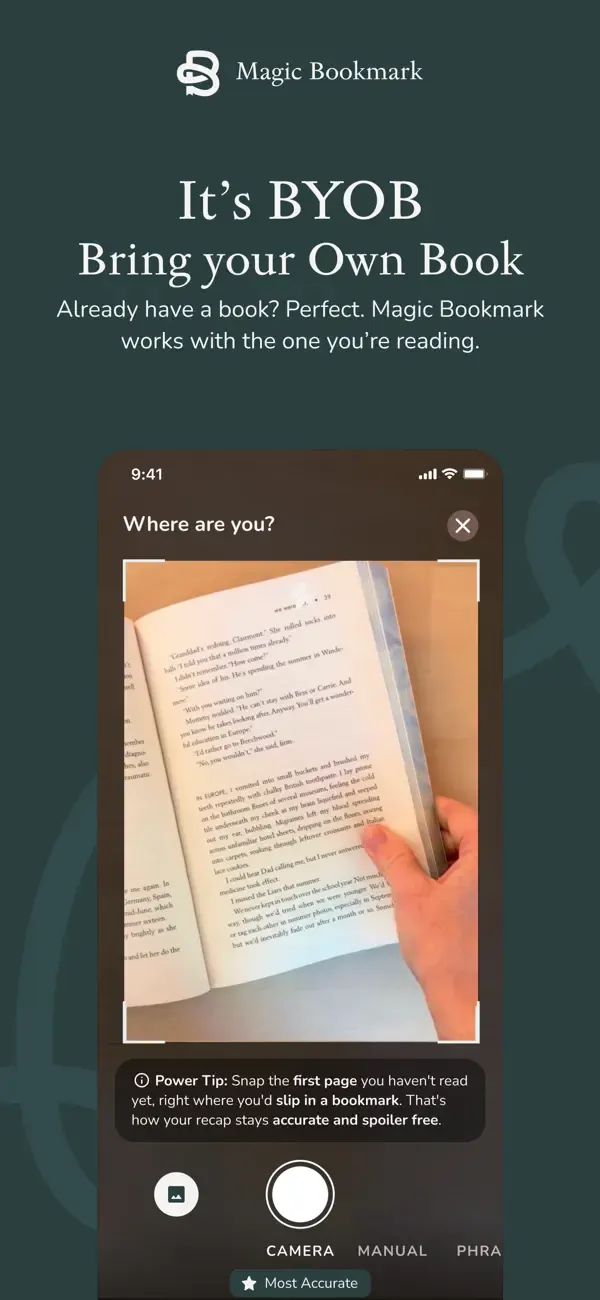
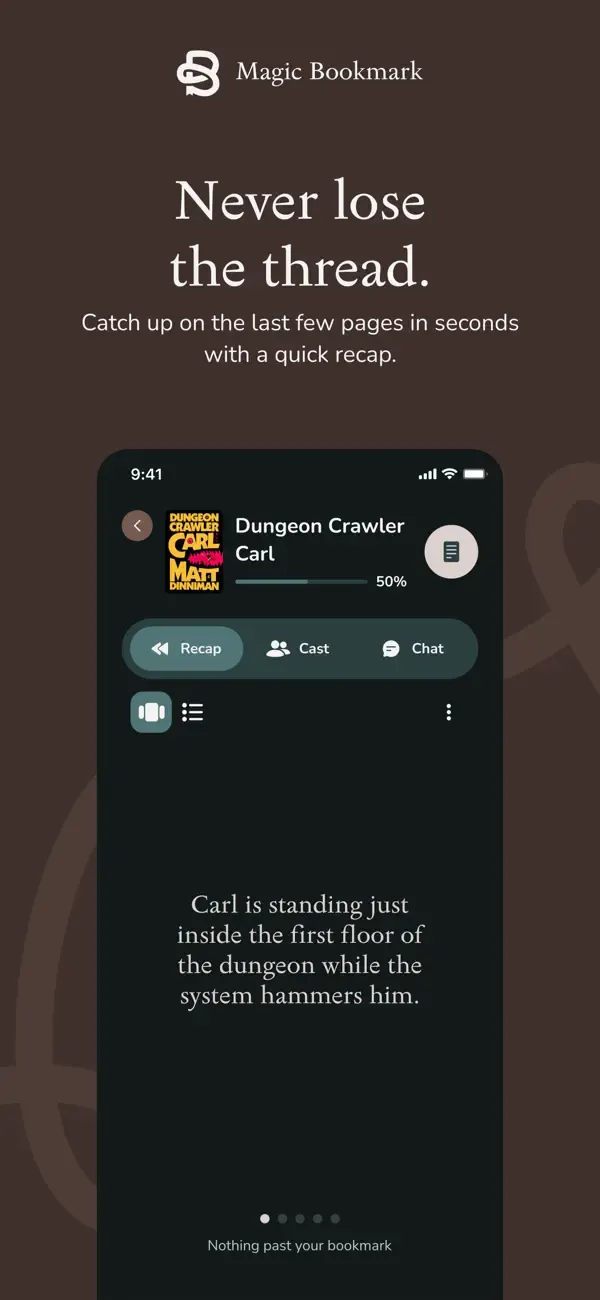
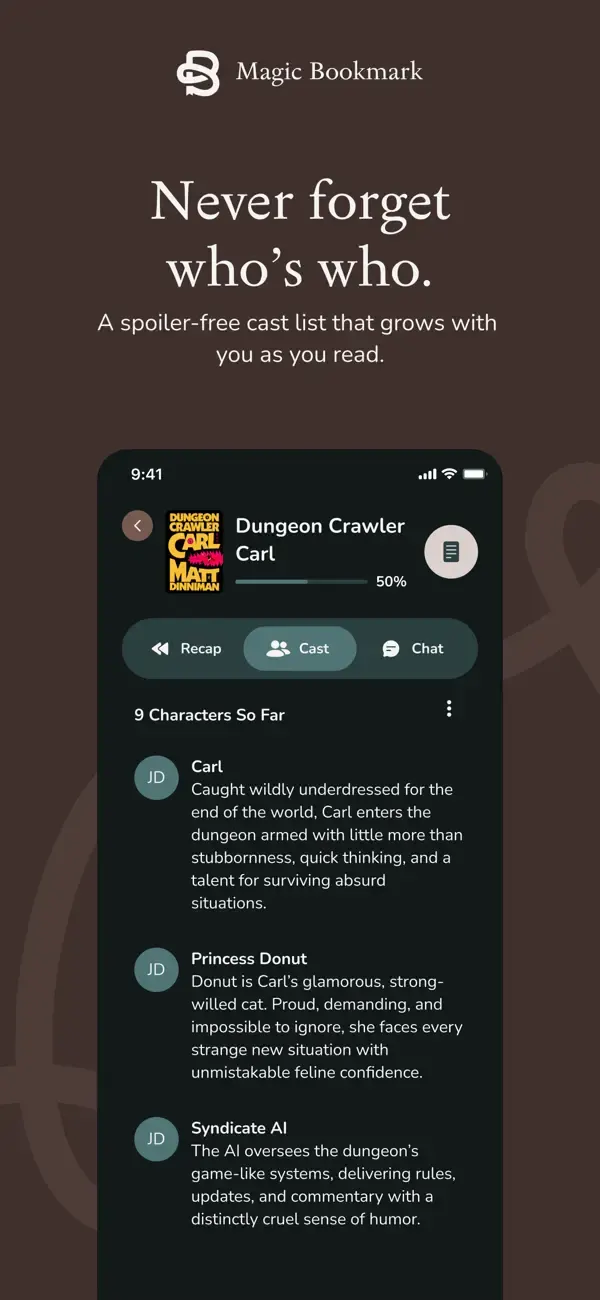
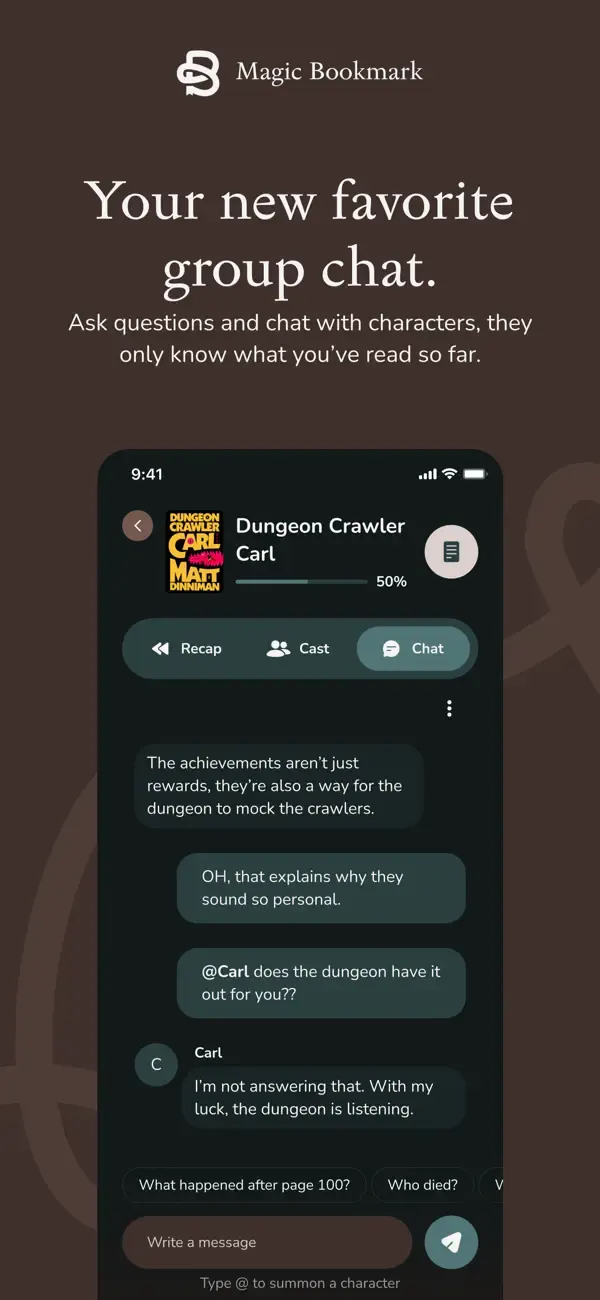

What does Magic Bookmark actually do?
It is a reading companion, not a reading app. It does not contain the book. You keep reading your paperback, your Kindle, your library loan or your audiobook, and Magic Bookmark sits next to it. Once it knows your place, it offers four things, and all four stop at your page.
That last part is the point. A wiki, a fan forum or a plot summary has no idea where you are, so the paragraph that reminds you who someone is often tells you what happens to them later. Magic Bookmark is built so it cannot look past your bookmark.
The four tools, one by one
- Recap: a summary of the story so far that stops exactly where you are, not at the end of the chapter.
- Cast: a who's who of the characters you have met, with how they are connected. New people only appear once you have reached them, and nothing from later chapters leaks into a description.
- Ask: questions about the story so far, such as "wait, are they together yet?" If the book has not answered it by your page, the app says so.
- Chat with characters: type @ and a name to summon a character, who answers in character and only knows the story up to your page.
How does it find your exact page?
- Pick your book in the app. It has to be a supported title (see the list below).
- For a print book or ebook, snap a photo of the page you are on, or type the page number. The website says any edition works.
- For an audiobook, type the last few words you heard. Magic Bookmark calls this CatchPhrase and uses it to find your place.
- Read your recap, check the cast, or ask a question. When you read on, move the bookmark and everything updates to the new page.
Which formats does it work with?
Print, ebook and audiobook. The website calls the approach BYOB: bring, buy or borrow your own book, and lists hardcover, paperback, audiobook, ebook and library loan. Audiobook support arrived in version 1.1 on 21 October 2026, and the 1.1.1 release notes on 27 October repeat it: spoiler-free recaps for any book format. Read our note on the audiobook update for how that flow works.
This is the main difference from Kindle's own tools. Kindle Story So Far and Ask this Book only work inside Kindle ebooks you bought or borrowed through Amazon. Magic Bookmark does not care where your copy came from, but it only covers the titles in its catalog.
Which books and genres are supported?
Supported titles only. The company says it launched with the romance, fantasy, romantasy, YA, sci-fi and historical fiction titles that are popular on BookTok and Bookstagram, and that it adds more every day. If your book is missing, you can request it inside the app.
Titles shown on the website include Fourth Wing, Iron Flame, Onyx Storm, A Court of Thorns and Roses, Throne of Glass, House of Earth and Blood, The Cruel Prince, Powerless, The Hunger Games, Red Queen, Mistborn, Dune, Foundation, The Hobbit, The Lightning Thief, The Housemaid, The Silent Patient, The Seven Husbands of Evelyn Hugo, Circe, The Song of Achilles, Pride and Prejudice, Little Women, Jane Eyre, Babel, Leviathan Wakes, Dungeon Crawler Carl, Wings of Fire, The Invisible Life of Addie LaRue, The Book Thief, The Martian and Scythe. Search the app for your exact title before you spend a credit.
How much does Magic Bookmark cost?
The app is free to download and there is no subscription. You buy Bookmark Credits. One credit covers one whole book for good, with unlimited recaps, cast and chat for that book, and the bookmark moves with you as you read. You do not spend a credit per session. Credits never expire.
The App Store listing says your first credit is free. The website FAQ, checked on 3 November 2026, also describes a two-week free trial with unlimited books, no credit card and nothing that auto-renews. Check which offer you see in the app when you install it.
Credit math: what a book really costs
| Pack | Price | Per book | Good for |
|---|---|---|---|
| 1 credit | $4.99 | $4.99 | Trying it on one stalled book |
| 5 credits | $19.99 | $4.00 | A series you are working through |
| 10 credits | $34.99 | $3.50 | About a book a month for a year |
| 50 credits | $69.99 | $1.40 | Heavy readers; credits never expire |
A worked example
Say you start about one book a month that you need help with, 12 a year. With the first credit free you pay for 11. Buying singles costs 11 x $4.99 = $54.89. A 10-pack plus one single costs $34.99 + $4.99 = $39.98, about $3.63 a book. A 50-pack at $69.99 covers four years at that pace, because credits do not expire.
Compare that with what a stalled book costs you now: rereading 150 pages, or buying a different book because this one feels too hard to restart. If you only need help once or twice a year, singles are fine. If you mostly read Kindle ebooks, try Kindle's free Story So Far first, covered in our note on who gets it.
Which devices does it run on?
iPhone, with iOS 16.4 or later. The App Store also lists Mac computers with an Apple M1 chip or later on macOS 12 or later, but labels the app "Designed for iPhone. Not verified for macOS", so treat the Mac as unsupported. There is no Android version and no web version; the website says Android is on the roadmap for later. The app is in English.
Who is Magic Bookmark for?
- Readers who drop a book for weeks and lose who is who when they come back.
- Readers of long fantasy, romantasy and sci-fi with big casts, invented words and multiple timelines.
- Series readers starting the next book after a long gap, as long as both books are supported.
- People who switch between print and audiobook, or borrow from the library, so Kindle's tools do not cover them.
- Anyone who has been spoiled by a wiki at 1 a.m. while trying to check one name.
Who should skip it?
- Android users, for now.
- Readers whose books are not in the catalog yet: literary fiction, nonfiction and older backlist titles may be missing.
- Kindle-only readers whose books are covered by Story So Far, which is free.
- Anyone who wants a free tool for every book: a paper cast list and a one-line note per session costs nothing.
- People who want no data collection at all: the App Store privacy label lists identifiers that may be used to track you, and links purchases, contact info, photos, search history and usage data to your identity.
How does it compare with the alternatives?
| Tool | Formats | Knows your exact place | Cost | Where |
|---|---|---|---|---|
| Magic Bookmark | Print, ebook, audiobook | Yes, by page or last phrase heard | First book free, then $1.40 to $4.99 per book | iPhone |
| Kindle Story So Far | Kindle ebooks | Yes, from your Kindle position | Free with the Kindle book | Kindle devices, Kindle iOS app, US |
| Kindle Ask this Book | Kindle ebooks | Yes, unless you choose whole-book answers | Free with the Kindle book | Kindle iOS app, US |
| General AI chatbots | Any, if you describe it | Only what you tell it | Free or subscription | Web and apps |
| Paper cast list and notes | Any | Yes, you wrote it | Free | Your bookmark slot |
Why our card says WORTH A LOOK, not KEEP
On this site, KEEP means still in use after 30 days or more. Our Magic Bookmark card is a listing-based check: we built it from the App Store listing and the company website on the dates shown, with no hands-on time claimed. A listing-based card never carries KEEP under the desk's rules. The card lives on the reading shelf next to Kindle's tools, Libby and the rest, and it ranks where its stamp puts it in the book recap shortlist.
The App Store rating was 4.8 out of 5 from 25 ratings on 3 November 2026. That is a small number, so read it as an early signal, not a verdict.
Who makes it?
Yomu Inc., which is also the developer of YOMU - Family Reading Habits, an app for building reading habits together as a family. If you are setting up reading routines for kids as well as yourself, it is the sibling app to look at. Magic Bookmark's own support runs through support@magicbookmark.com and the Yomu help center.
Questions
- Q. Does Magic Bookmark contain the book?
- A. No. It works alongside your own copy, in print, ebook or audiobook, and does not include the text of the book.
- Q. Will Magic Bookmark spoil the ending?
- A. It is built not to. Recaps, the cast list, answers and character chat are limited to the page you set. Ask about something later and it says the book has not got there yet.
- Q. Does Magic Bookmark work with audiobooks?
- A. Yes, since version 1.1 on 21 October 2026. Type the last phrase you heard and it finds your place.
- Q. How much is Magic Bookmark?
- A. Free to download. One Bookmark Credit covers one book: $4.99 for one, $19.99 for 5, $34.99 for 10 or $69.99 for 50. Credits never expire and there is no subscription. The App Store says your first credit is free.
- Q. Is Magic Bookmark on Android?
- A. Not yet. It is iPhone only today, and the company says Android is on the roadmap for later.
- Q. Is it good for ADHD readers?
- A. It fits a common ADHD reading problem: stopping mid-book and losing the thread. It is a memory aid, not a treatment, and it only helps with supported titles.
Sources
- 1Magic Bookmark: Book Recaps on the App Store (checked 2026-11-03)
- 2magicbookmark.com, including pricing and FAQ (checked 2026-11-03)
- 3Amazon: Kindle Recaps, Story So Far, and Ask this Book (updated July 2026)
- 4Good e-Reader: Ask this Book arrives on the Kindle iOS app (14 Dec 2025)
- 5YOMU - Family Reading Habits on the App Store
- 6Yomu: Magic Bookmark privacy policy